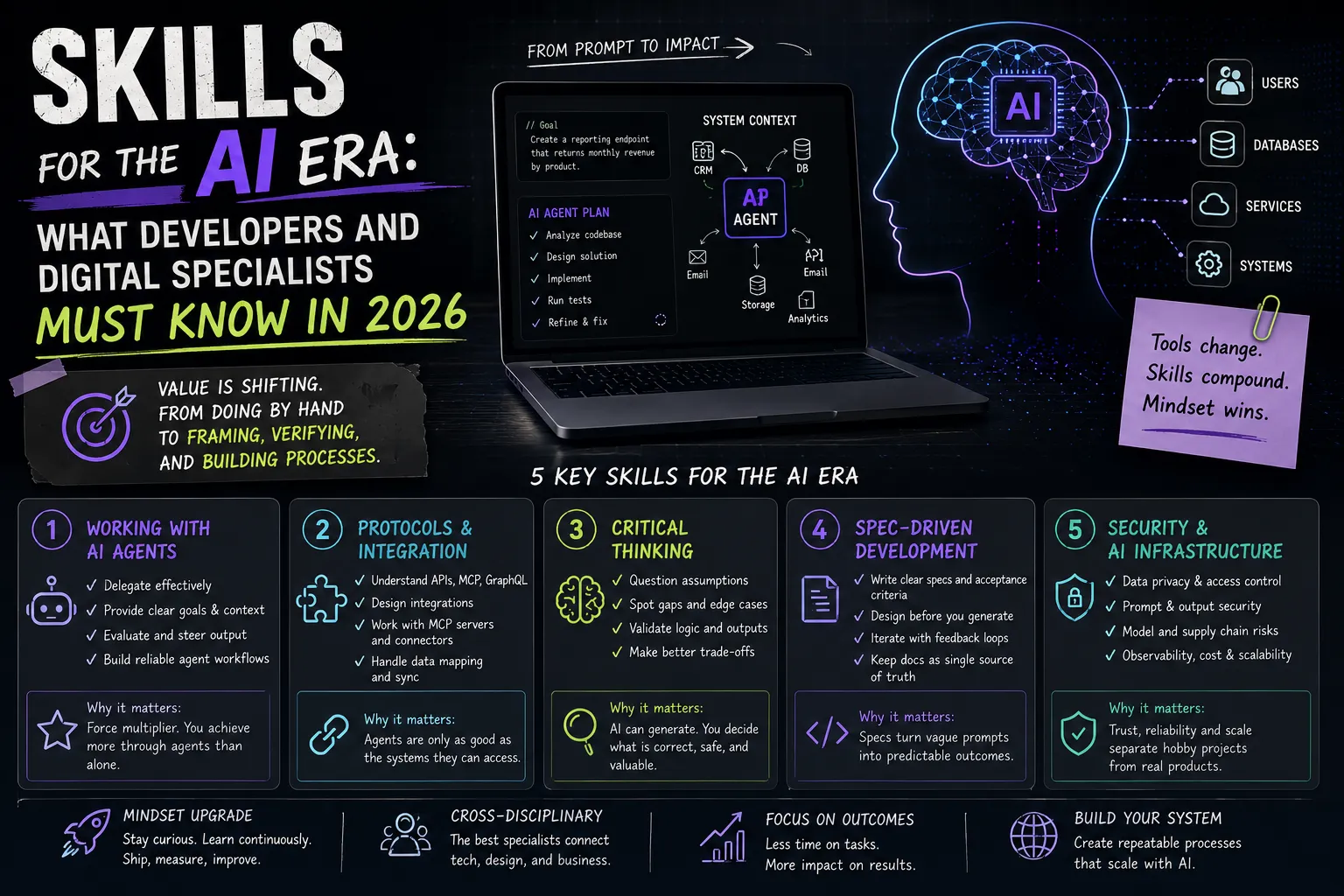

In 2026 the question is no longer "should I use AI tools" but "which stack." Market estimates put around half of the code in many teams as AI-assisted today — and in some product teams that share is considerably higher. This has shifted the developer's focus: less "typing everything by hand," more framing tasks, checking results, and building architecture.
This article is a practical map: which categories of AI tools exist, examples in each, how to build a stack for your level (junior / mid / team lead), which mistakes to avoid, and how to answer the painful "will AI replace me?" If you have not yet read about the shift toward agent-first development, start there — this article is about the concrete toolset that serves that shift.
Why 2026 Is the Year It's Hard to Compete Without AI Tools
This is not about hype. AI tools multiply productivity: what took a day gets done in an hour, and the routine (tests, docs, configs) stops stealing time. A developer who can delegate the routine and focus on the hard parts simply gets more done in the same hours.
Industry reviews back this up. For example, SitePoint's 2026 AI coding-tools comparison captures the main trend: development is moving from "writing lines of code" to orchestrating AI IDEs, agents, and multi-agent systems. Not knowing this toolset in 2026 is roughly like not knowing Git in 2016.
The Tool Map: Six Categories
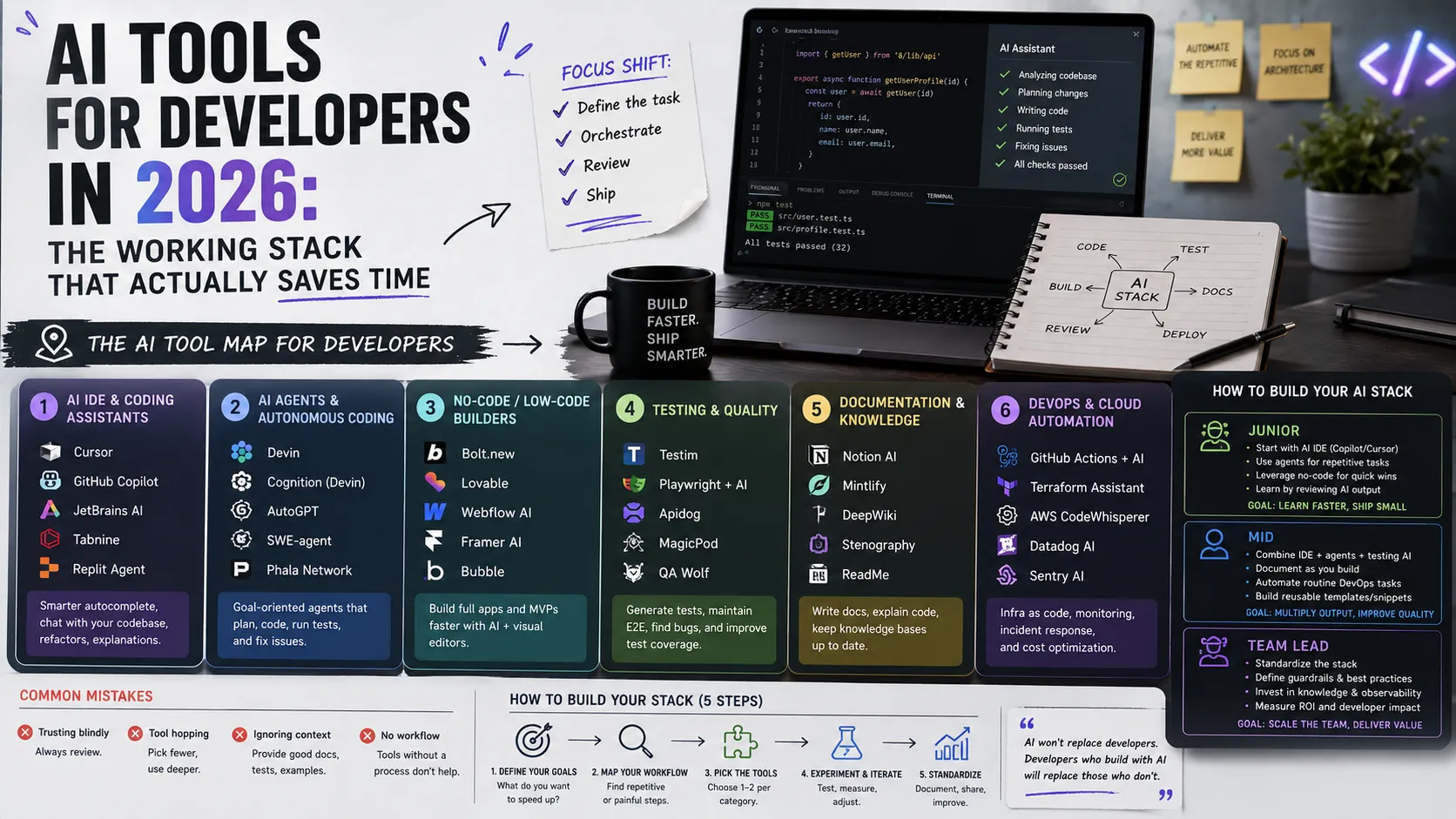
To avoid drowning in hundreds of names, keep six categories in mind. Tools within each change every quarter, but the categories themselves are stable.
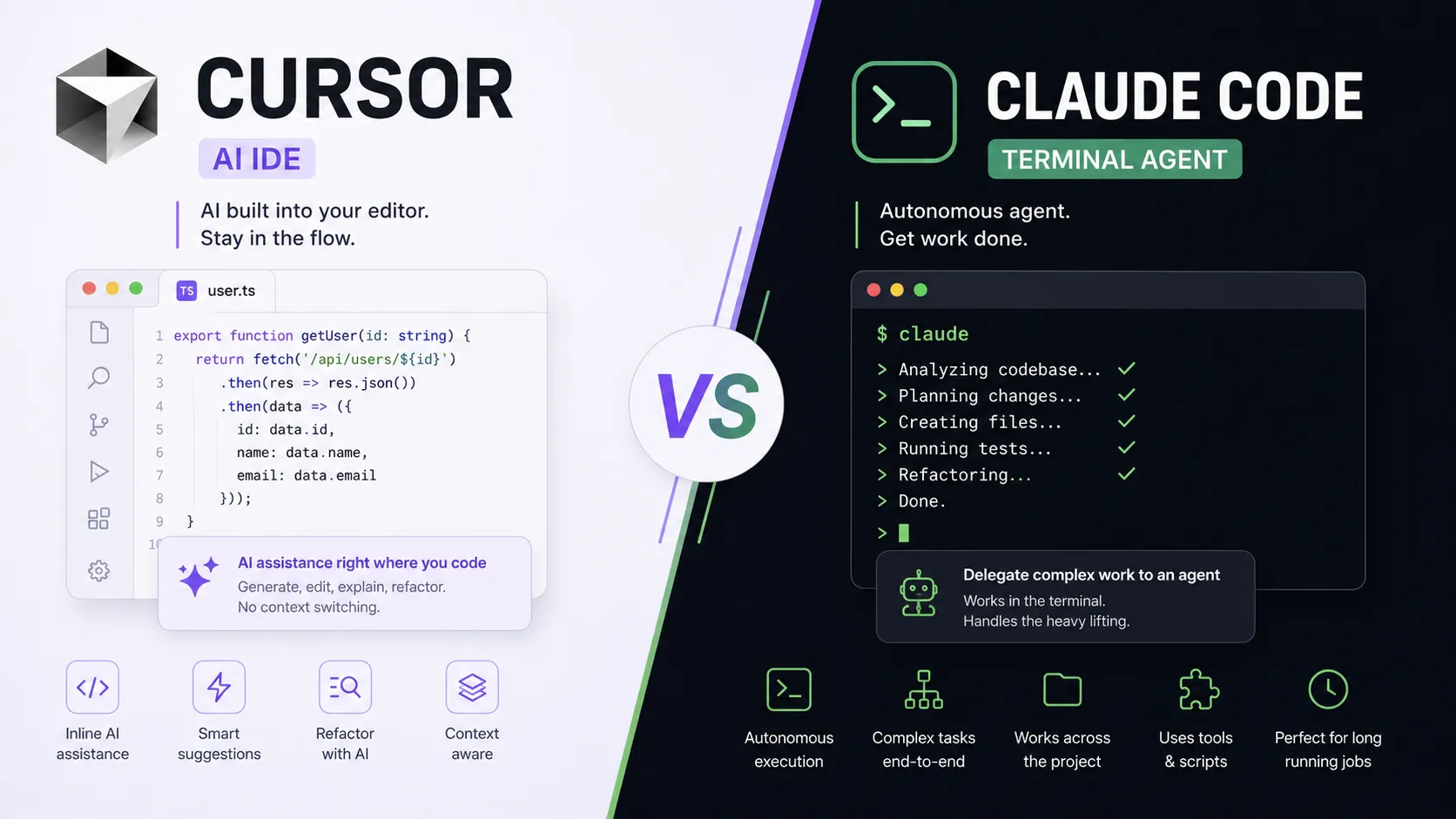
- AI IDEs and editors — environments where AI is built into the act of writing code: Cursor (a VS Code-based editor with deep AI integration, a power-user favorite), Windsurf (an agentic editor focused on autonomous flows), VS Code + Copilot and other extensions.
- Coding agents — they don't complete lines, they do whole tasks: Claude Code (a terminal agent that reads the whole codebase, writes code, runs tests, and fixes errors), Devin (a full-stack agent for projects "from scratch"), Copilot's agent modes and other CLI/agentic solutions.
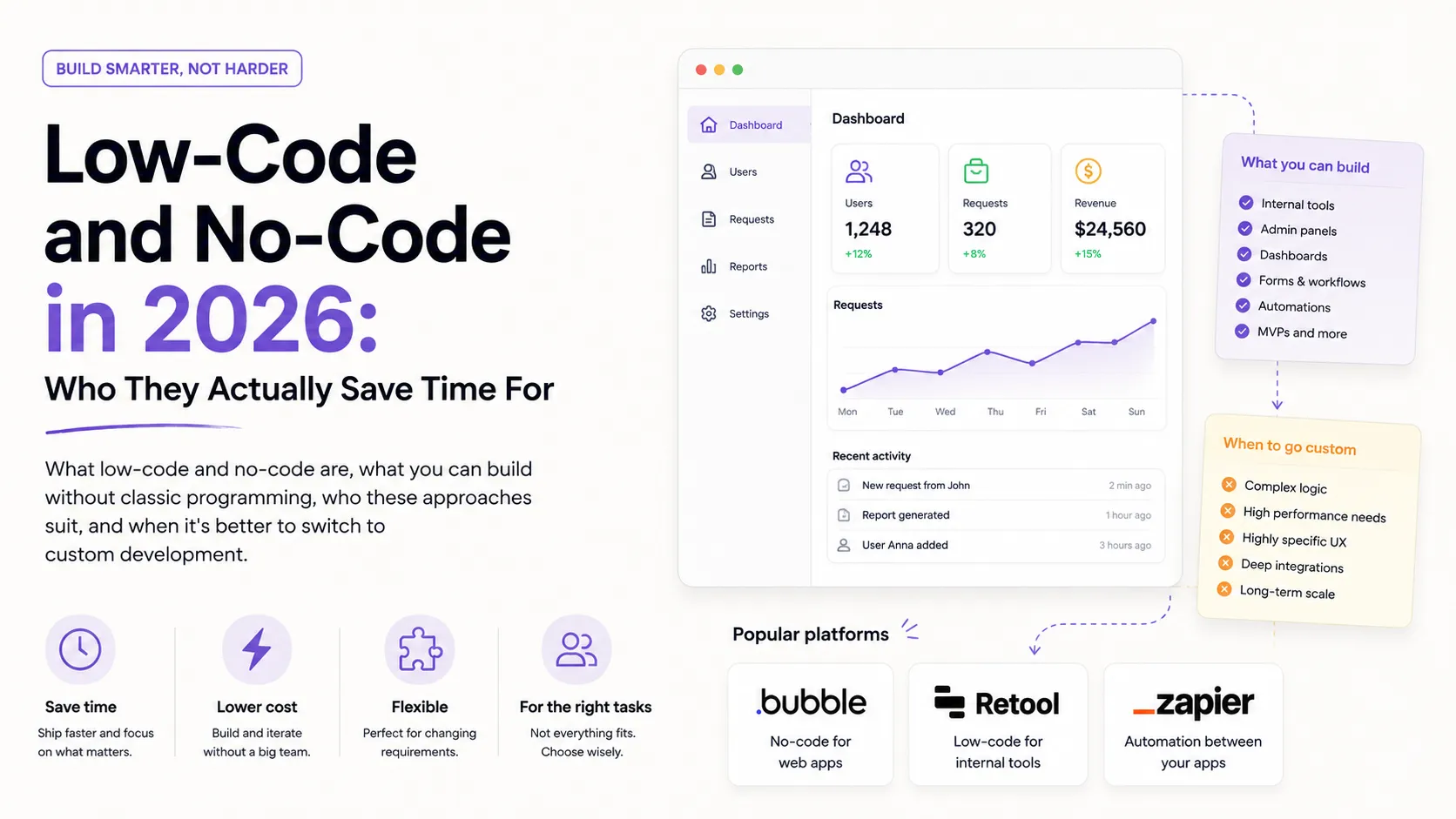
- No/low-code builders for beginners — the barrier to entry has dropped to "one sentence": you describe what you want and the platform assembles a working app (UI, logic, database, hosting). Examples: Bolt.new, Lovable, Replit, Base44, Google Antigravity.
- AI for testing — generating unit and integration tests, automatic coverage analysis, fuzzing. This is often where AI gives the fastest ROI: people write tests reluctantly, an agent does it happily.
- Documentation and code review — generating READMEs and repo docs, explaining refactors, drafting review comments and ADRs. The chores people usually postpone.
- DevOps and deployment — automating CI/CD pipelines, generating configs, infrastructure-as-code, log triage. An agent quickly assembles the boilerplate you then verify.
Tip: do not try to cover all six categories at once. Start with the one or two where it hurts most.
How to Build Your Stack
There is no universal stack — it depends on your level and tasks. Here are working starting points.
For a junior, the key is not "generate and forget" but learning from what's generated:
- one AI IDE (Cursor or VS Code + Copilot) for daily code;
- a chat model for explanations ("explain this code line by line");
- a firm rule: read every generated line until you understand why it works.
If you are just entering the profession, a no-code builder (Lovable, Bolt.new) is a great way to see results fast — but not a substitute for understanding the fundamentals. First build an app with a builder, then dissect how it works.
For a mid-level dev, build a combined flow:
- a strong model (Claude) for architecture and complex logic;
- an AI IDE (Cursor) for daily coding;
- an agent (Claude Code / Devin) for autonomous routine — tests, migrations, refactors;
- separate tools for tests and documentation.
These are exactly the combinations described in practical "2026 stack" reviews, such as Zemith's roundup of the best coding assistants: different tasks, different tools — not one "do-everything."
For a team lead, the tools matter less than the processes around them:
- shared rules for reviewing agent-generated code across the team;
- policies for access, secrets, and sandboxing;
- metrics: where AI actually speeds things up and where it breeds technical debt.
Mistakes and Risks
An AI stack multiplies not only productivity but also the cost of carelessness.
- Blind trust in the code. The most common and most expensive mistake. Generated code looks confident but can quietly do the wrong thing. The rule is simple: don't merge what you don't understand.
- Security. Vulnerabilities in generated code, leaked secrets, prompt injection. A review that asks "how could this break?" is mandatory — a QA engineer's mindset helps here.
- Licensing. Generated code can reproduce licensed material. For commercial products that is a real legal risk worth checking.
- Vendor lock-in. The deeper you grow into one project format or platform, the more expensive it is to move. Keep your architecture portable and critical knowledge outside "just the prompts."
- No tests. Without tests you lose the one objective criterion for "the agent did it right." AI-generated code without tests is debt, not speed.
FAQ
Will AI replace me?
The short answer is no, but the profession is changing. The loud predictions exist: Elon Musk claimed that coding as a profession will be "dead" by the end of 2026, because AI will generate machine code directly. But most researchers — and the market itself — see something else: not disappearance, but a shift in the role. Yes, some entry-level tasks are being automated, and by some estimates the number of junior openings has noticeably shrunk — but demand is rising in parallel for those who can frame tasks for agents, review them, and own the result. AI does not "cheapen" an engineer's work — it redistributes it.
How do I avoid becoming "just a prompt engineer"?
Keep your fundamentals. A prompt is an interface, not a profession. Your value is in understanding what sits under the result: architecture, algorithms, security. So keep learning the basics and dissecting generated code. If you are still choosing a direction, it helps to understand what frontend, backend, and full-stack developers do — AI amplifies each of these roles but does not remove the need for domain understanding.
Where do I start if I have nothing yet?
With one tool and one task. Take an AI IDE, give it a small real task with tests, and run the cycle to the end. Then add categories as needed — that is more reliable than pulling in ten tools at once.
What This Means for Your Portfolio
Command of an AI stack is becoming as basic a literacy as knowing Git. And it is worth showing. In your project cases, describe not just the result but the process: which stack you used, where you delegated to an agent, how you verified. If you are unsure how to structure cases, start with the guide How to Make a Portfolio.
Add the skills and tools you have learned to your profile, tag your project technologies, and see how other specialists present their work. A portfolio is the best place to prove you don't just "know about AI" — you can build a working process with it.
Ready to act?
- Create your own portfolio: https://searchtalent.dev/en/projects/new
- Skill and technology directory: https://searchtalent.dev/en/talents/skill
- Browse other specialists' projects: https://searchtalent.dev/en/projects
- More articles: https://searchtalent.dev/en/articles