
A few years ago, building even the simplest MVP meant hand-writing the frontend, standing up a backend, configuring a database, and wrestling with deployment. In 2026 this increasingly looks different: you describe what you want in words, and AI tools assemble the first version for you. This approach got the name vibe coding — where a developer directs the logic and requirements more than writing every line by hand.
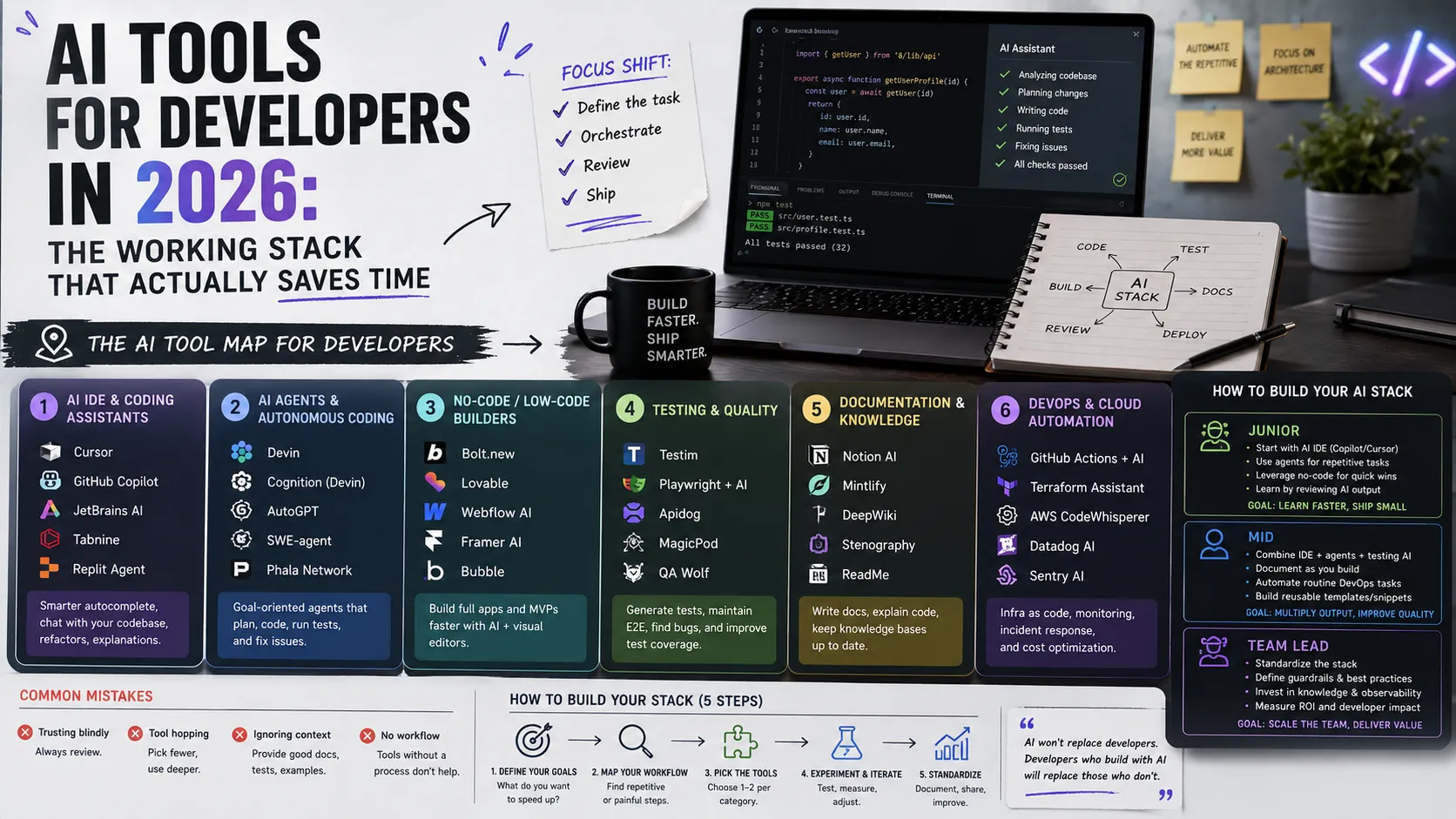
In this article we'll unpack what vibe coding is, how to move from a text description to a working product, which parts of an MVP you can delegate to tools, and — most importantly — where the line runs between a fast prototype and a production-ready solution. It's an applied continuation of the developer's working AI stack theme.
What Vibe Coding Is
Vibe coding is a development style where you state your intent in natural language and the AI handles code generation. The term was popularized by Andrej Karpathy, describing a process where you "give in to the vibe" and let the model write while you steer, test, and correct it.
The key here is a shift in role. You do less "typing out the program" and more:
- framing requirements — what the product should do;
- making decisions — which trade-offs are acceptable;
- verifying the result — whether it truly works as intended.
This is a great fit for MVPs and prototypes, where the speed of validating an idea matters more than perfect architecture.
From Description to First Version
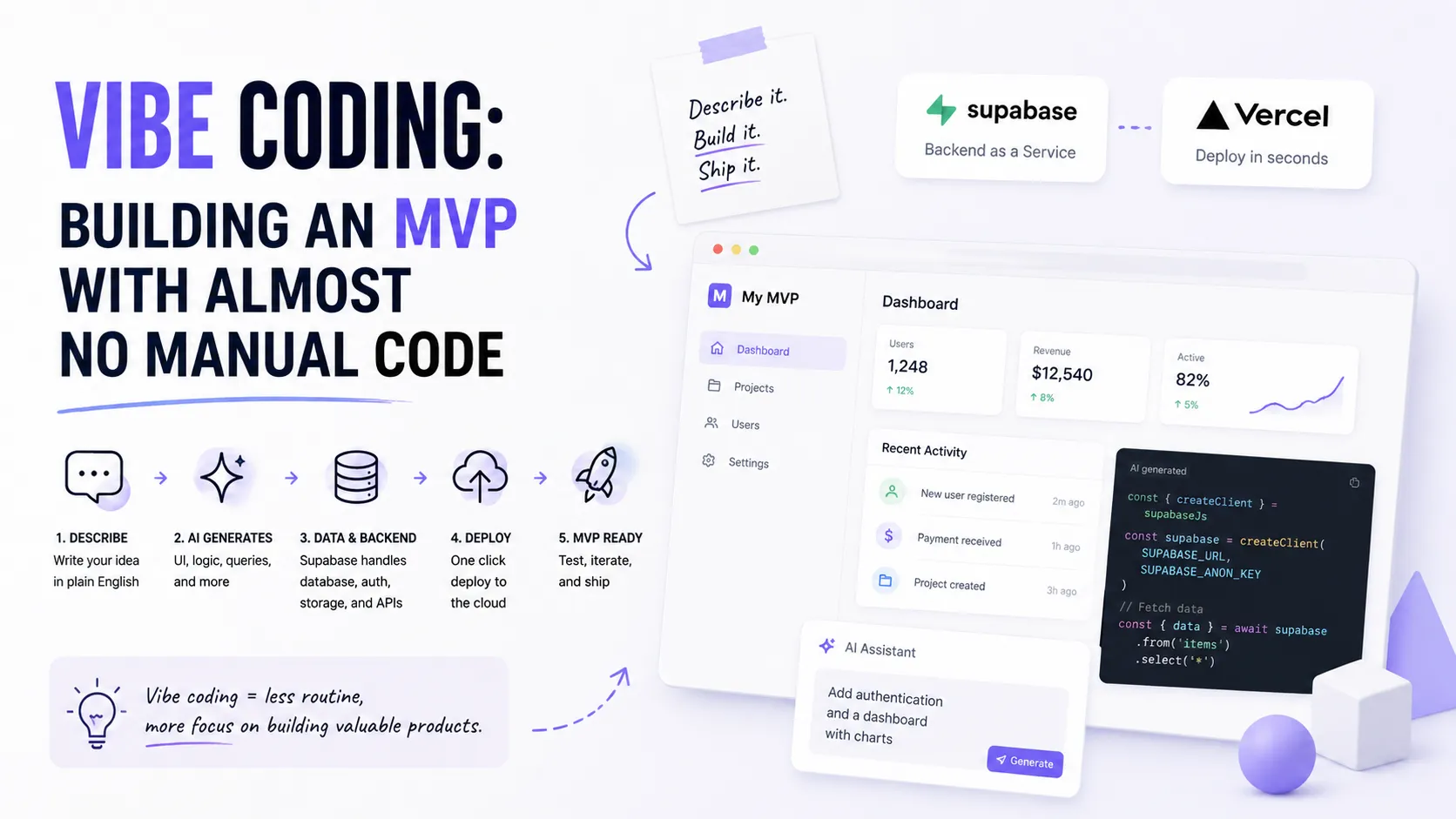
A typical vibe-coding cycle looks like this:
- Describe the product in words. Not "make an app," but specifically: "a habit tracker: a list of habits, daily completion marks, simple weekly stats."
- Get a skeleton. The AI tool generates the structure: pages, components, base logic.
- Iterate by dialogue. "Add authentication," "make a dark theme," "move the data into a database" — you build up features step by step.
- Test on the fly. You immediately click through the product and say what's wrong, instead of planning everything upfront.
The key to a good result is clarity of description. The more specific your request and "done" criteria, the fewer "hallucinations" and wasted iterations.
What You Can Delegate to Tools
A modern MVP breaks into a few layers, and each has its own low-friction tool:
- Frontend — AI IDEs or no-code builders assemble the UI from a text description; you adjust look and behavior by dialogue.
- Backend and database — Supabase or Firebase give you ready authentication, a database, file storage, and an API almost out of the box, with no manual server setup.
- Deploy and hosting — Vercel deploys an app in minutes: push to the repo and you have a working URL.
- AI logic — if the product needs intelligence (chat, classification, generation), it's added via the OpenAI or Anthropic API.
The point is that you don't build infrastructure from scratch — you assemble the product from ready, well-documented blocks.
A Fast Stack for an MVP
One proven set that lets you assemble a working product in days rather than months:
- UI — a frontend generated by an AI IDE (React/Next.js under the hood).
- Data and auth — Supabase or Firebase as a backend-as-a-service.
- AI features — the OpenAI or Anthropic API where you need the "smart" part.
- Deploy — Vercel for instant hosting and preview environments.
This stack covers all four MVP layers and has excellent documentation, so even a beginner can go from idea to a deployed product.
Where the Line Runs Between Prototype and Production-Ready
This is the most important part, and it's often ignored. Vibe coding brilliantly produces a prototype, but between it and a product you can hand to thousands of users lies a gap. What you need to finish by hand (or at least consciously oversee):
- Security. Data access rules (RLS), key protection, input validation — things AI often does superficially.
- Tests. A prototype without tests is fine; a product without them is a risk. Here it helps to read about AI test generation.
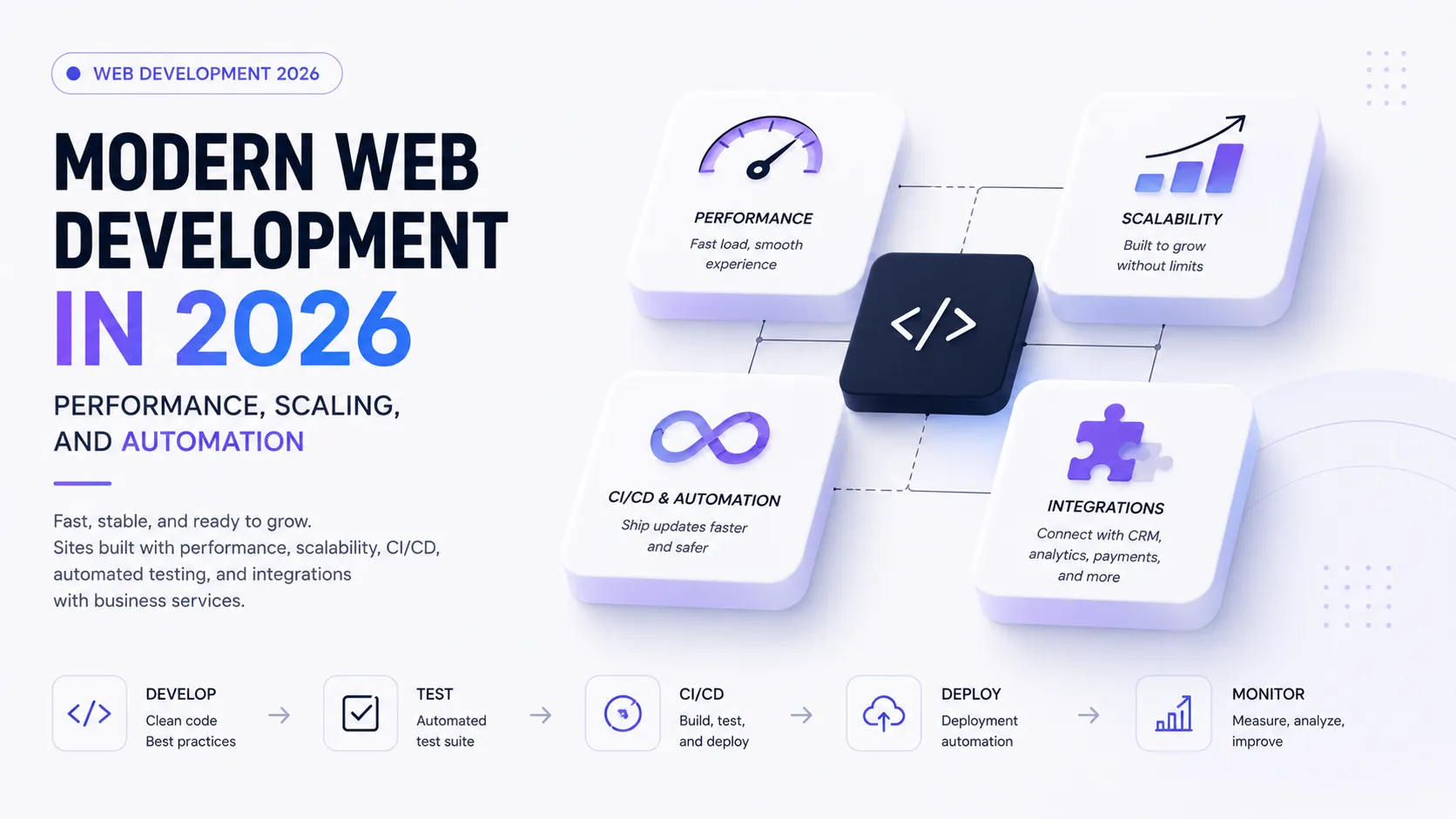
- Performance and scaling. A 10-user prototype and a 100,000-user product are different things; more on that in the article on modern web development.
- Understanding the code. You must understand what was generated, or you won't be able to maintain and fix it.
The rule is simple: vibe coding is a way to reach the first version fast, not an excuse to not understand your own product.
Common Vibe-Coding Traps
- "It works — good enough." Code can work on a demo and break on real data. Check the edge cases.
- Technical debt at speed. The faster you assemble, the easier it is to pile up chaos. Tidy up periodically.
- Blind trust. Don't merge or ship what you don't understand — especially where user data is involved.
- Vendor lock-in. Convenient platforms tie you in; keep in mind how hard it would be to "move out."
Example: A Habit Tracker in One Evening
To make the theory concrete, let's walk the whole path on a simple example — a habit-tracking app:
- Description. "A web app: the user adds habits, marks completion by day, sees weekly stats. Needs authentication and data storage."
- UI. An AI IDE generates the pages: a habit list, a check-in calendar, a stats screen. You adjust the look by dialogue.
- Data and auth. You connect Supabase:
habitsandcheckinstables, built-in email auth, data access rules. - Logic. Simple aggregation of "how many days completed this week" — generated by AI, and you verify it's correct.
- Deploy. Push to the repo and Vercel serves a working URL with a preview on every change.
The result is a clickable product in an evening instead of weeks. But note: even here there are spots to control by hand — the rules for accessing other users' data and the correctness of the calculations.
Vibe Coding on a Team
Solo, vibe coding is speed. On a team without rules it quickly becomes chaos, so it's worth agreeing on guardrails:
- Shared conventions. Describe style, structure, and rules in a spec file (for example,
AGENTS.mdorCLAUDE.md) so the generated output is uniform. - Review is mandatory. The same principle as for regular code: no generated PR ships to production without a human look.
- Isolate experiments. Keep fast prototypes in separate branches or environments so the "magic" doesn't land in the main code by accident.
This way the team gets vibe coding's speed without sacrificing control. It's a direct expression of AI-era skills: directing the process, not just "asking for code."
What Not to Do via Vibe Coding
The fast approach has clear "red lines" — tasks where the cost of a mistake is too high for "on the vibe":
- Payments and finance. These need proven logic, tests, and auditing, not a quick prototype.
- Sensitive data. Personal, medical, or legal data demands a deliberate approach to security and compliance.
- The product core. The unique business logic the product rests on should be understood down to the last line.
The rule is simple: vibe coding is brilliant for quickly validating ideas and secondary parts, but the critical core needs classic engineering discipline.
Vibe Coding and Learning
A separate debate is whether vibe coding is useful for beginners. The answer depends on how you use it. If you just accept generated code blindly, you'll assemble a demo but learn nothing — and get stuck on the first serious error. But if you use it as a training ground, it's a powerful learning accelerator.
A working approach for a beginner:
- Read every generated line and ask the AI "why exactly this way?" until you understand.
- Break and fix. Deliberately spoil something and see what happens — that's how you grasp the connections in the code.
- Reproduce by hand. Try to rewrite a generated chunk yourself, without the hint.
This turns vibe coding from a "crutch" into a "mirror": you see how an experienced developer (the role the model plays) would solve the task, and you learn from it. But you still have to build the fundamentals in parallel — more on that in the guide How to Become a Programmer.
Where Vibe Coding Is Heading
Early vibe coding was fairly criticized for being chaotic: "talked it through — got something incomprehensible." But the direction is maturing fast. Instead of pure improvisation, it's pairing with specifications: you first briefly capture the requirements (what the product should do, what the constraints are) and only then let the AI build to that plan. This makes the result more predictable and closer to production.
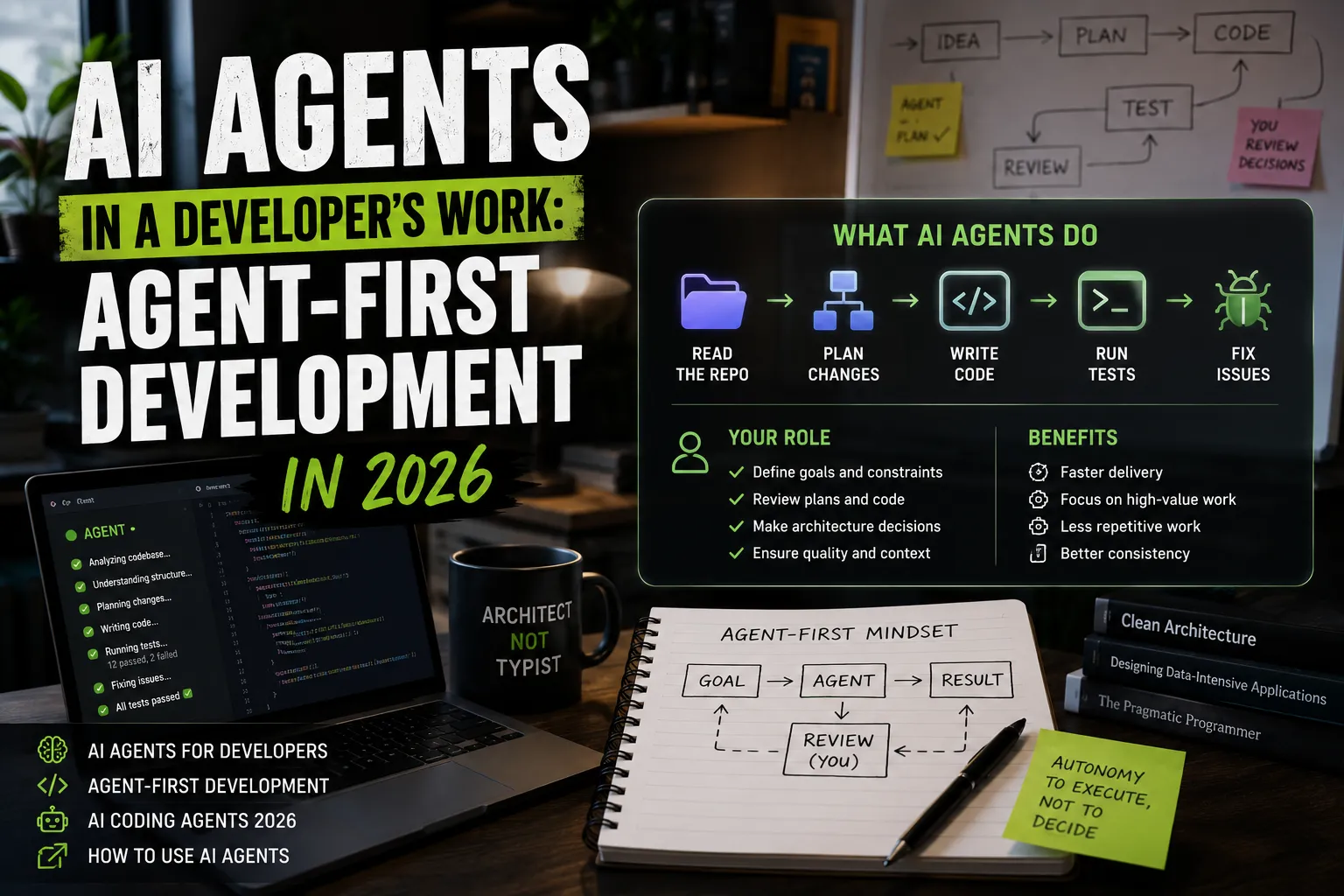
The second vector is deeper integration with agents and tools: instead of "generate code in a chat," the agent itself stands up the database, sets up deployment, runs tests, and returns a working draft. So vibe coding converges with agent-first development: less "magic on the vibe," more of a controlled process. For you this means the skill of framing requirements clearly becomes more valuable than typing code fast.
A Checklist Before Showing the MVP to People
Vibe coding easily brings a product to a state where it "looks finished," but "looks" and "is" are different things. Before you hand the link to your first users, run through a short list — it saves you from the most typical failures of fast prototypes:
- Data is protected. Check the access rules: can one user see another's data? This is the most common hole in no-code/AI builds.
- Keys aren't in the client. API keys and secrets must not end up in frontend code accessible in the browser.
- Input validation. Forms should respond correctly to empty, overly long, and "weird" values instead of crashing.
- Basic errors are handled. The user should see a clear message, not a white screen, when something goes wrong.
- At least some tests on the critical path. Even a few tests on the main scenario beat none — for fast generation see the article on AI tests.
- You understand your code. Walk through the generated code and make sure you can fix it when something breaks.
This doesn't turn a prototype into an enterprise product, but it removes the embarrassing and dangerous failures that make a first impression fatal. A few minutes of checking saves your reputation.
Signs It's Time to Write Code by Hand
Vibe coding has clear limits, and it's important to notice when you've reached them. Here are the signals that a prototype should move to classic development:
- You're fighting the tool. If every change costs more time coaxing the AI than you save, it's simpler and more reliable to write the code yourself.
- The logic has become critical. When payments, complex access rights, or calculations where a mistake is expensive appear, you need thought-out architecture and tests, not fast "on the vibe" generation.
- The product "took off." Growing load and user numbers expose what the prototype can't handle: performance, security, code maintainability.
- The code has become scary to touch. If you're afraid to change something because you don't understand how it works, that's a sign technical debt has outgrown speed.
Noticing these signals in time is a skill of its own. Vibe coding is great while it accelerates; the moment it starts to hold you back, that's the sign to return to engineering discipline. Treat it not as a defeat but as the normal life cycle of an idea: first validate fast on the vibe, then, if the idea is alive, build it reliably and deliberately.
The Short Version
If you compress the article into a few points:
- Vibe coding is directing the logic and requirements, not writing every line by hand.
- It's ideal for a fast MVP and prototypes, where the speed of validating an idea matters.
- A ready stack of "UI + Supabase/Firebase + Vercel + LLM API" gives a path from idea to deploy in days.
- Between a prototype and production lies a gap: security, tests, performance, understanding the code.
- Don't build the critical core (payments, sensitive data) "on the vibe."
FAQ
Is vibe coding the same as no-code?
Not quite. No-code is assembly with no code at all, in a visual builder. Vibe coding usually still produces real code (which you can read and edit) — it's just written mostly by AI from your description.
Can I build a real product this way, not just a demo?
You can, but the prototype will need "arming up": security, tests, performance, code review. Vibe coding gives a fast start, not ready production out of the box.
Do I need to know how to code for vibe coding?
Basic understanding helps a lot. Without it you'll assemble a demo but get stuck on the first serious error or security question. So learn the fundamentals in parallel — how to become a programmer.
What to Show in Your Portfolio
A quickly assembled MVP is a great case if you show not just the result but the thinking: which idea you validated, what you delegated to AI, where you drew the line to production, and what you had to finish by hand. It demonstrates both speed and maturity. How to frame a case is in the guide How to Make a Portfolio.
Add the relevant skills and tools to your profile, tag your project technologies, and see how other specialists present their work.
Ready to act?
- Create your own portfolio: https://searchtalent.dev/en/projects/new
- Skill and technology directory: https://searchtalent.dev/en/talents/skill
- Browse other specialists' projects: https://searchtalent.dev/en/projects
- More articles: https://searchtalent.dev/en/articles